
An improved Evernote tables experience has arrived
October 26 2026 | Issue 118 | Link to this issue | Subscribe
Hi Reader –
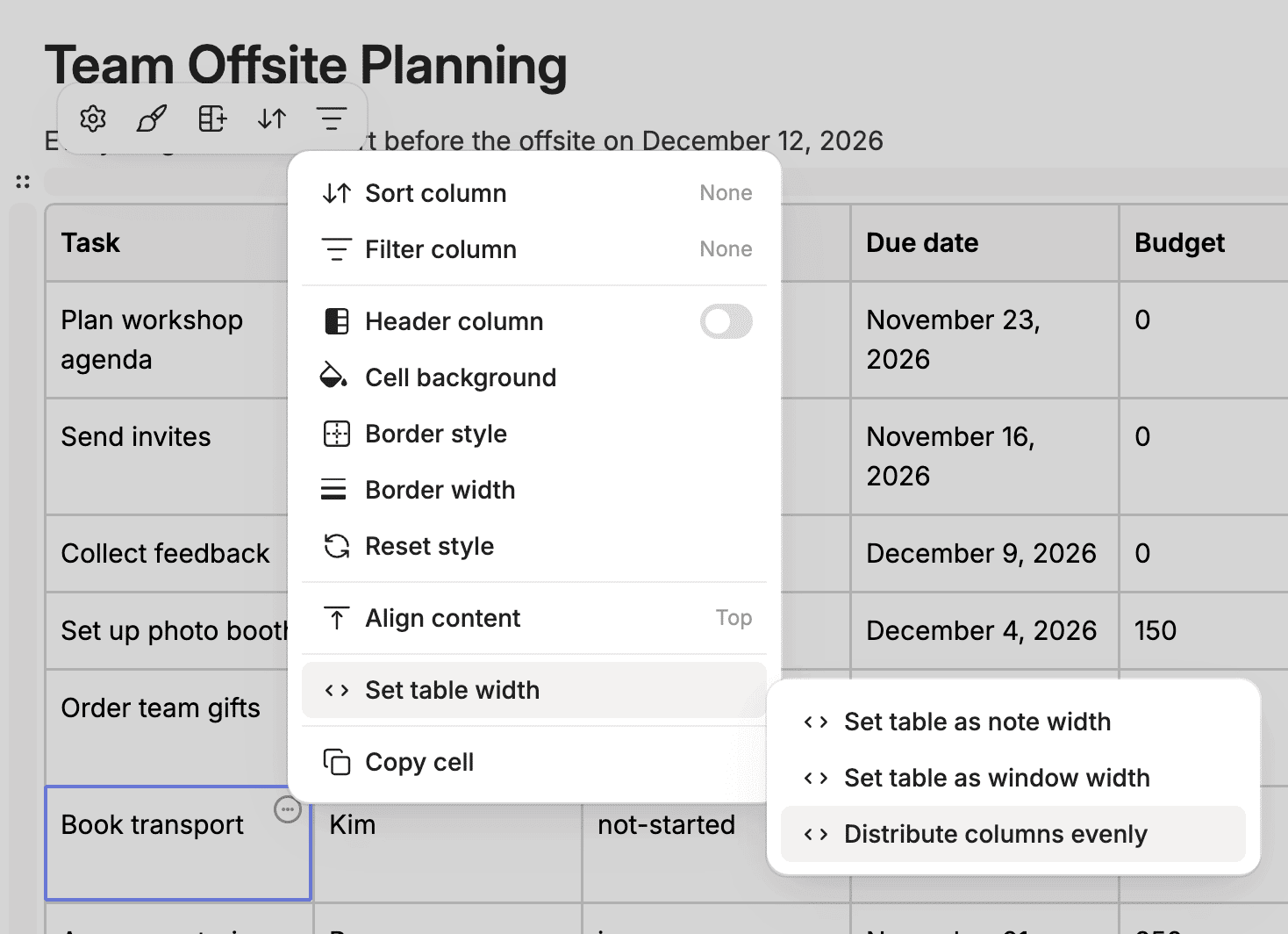
Evernote tables have undergone a major revamp. They can now sort and filter, and you have more control over how they look, with new border options and a one-click way to even out your columns.
This table experience is available on all clients as of v11.36.4.
I recently gave a detailed training on the new tables experience inside the Academy. And, I showed an overview of it in my free September 2026 Feature Recap I did this week over on YouTube. The table demo starts at 3:37. The recap also provides live demos of the other features Evernote released in September, including the new PDF and image editor and new AI Assistant abilities.
Here are some key lessons from those trainings.
Header Row and Header Column
Turn on Header Row and Evernote treats your top row as labels rather than data, and shades it so it stands apart. Header Column does the same for your leftmost column.
Both live in the table options menu. Open it from the three dots on any cell.
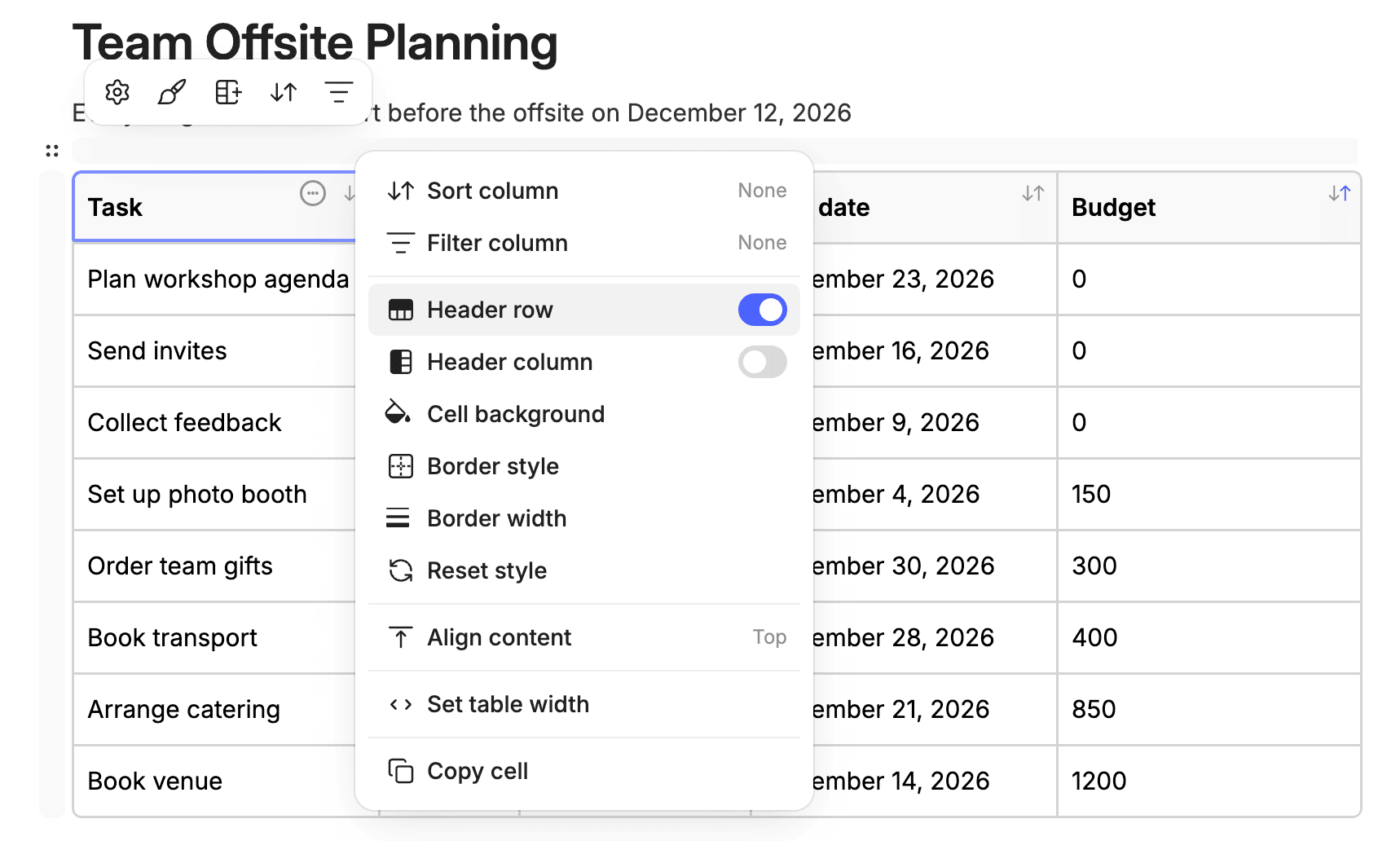
Switch the header row on before you sort or filter. Your column labels become the controls for everything below.
Sorting a Table
Sort any column ascending or descending – alphabetically, by number, or by date. Choose None to return the rows to their original order.
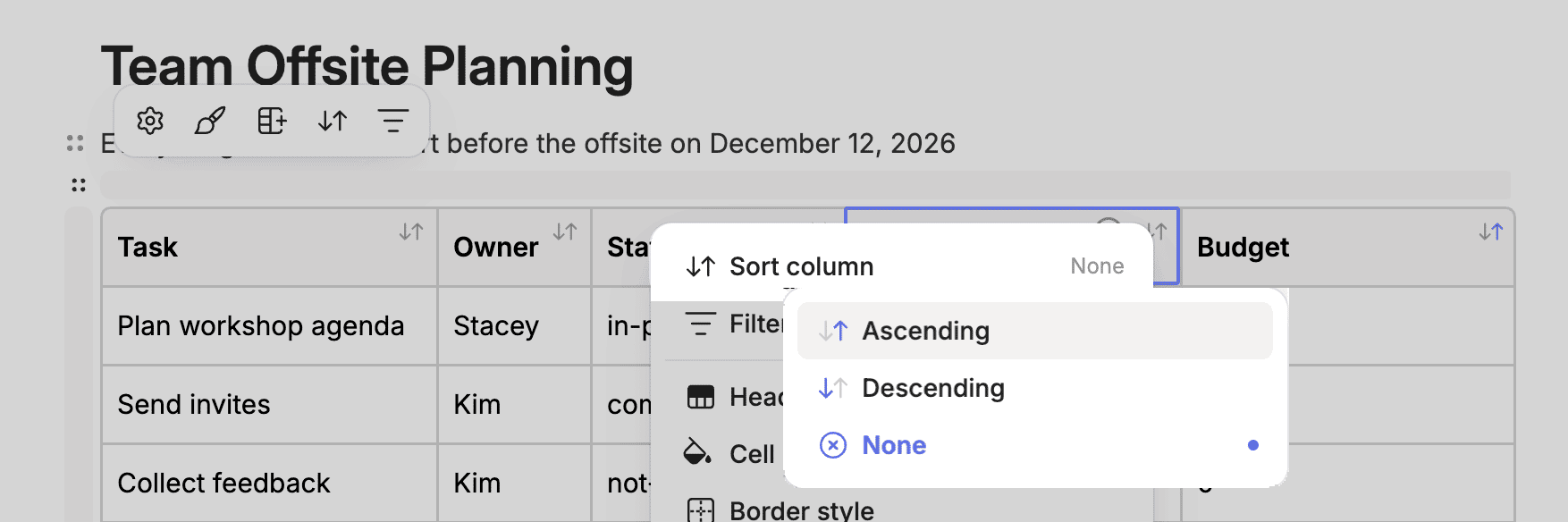
A few ideas for sorting your tables:
A reading list, sorted by author or by the date you added each book
A contractor or invoice log, sorted by date so the oldest item sits at the top
A comparison table, sorted by price when you're deciding between options
Filtering a Table
Filtering shows only the rows that match the values you choose in a column. Open the column's menu, choose Filter column, and uncheck everything you don't want to see.
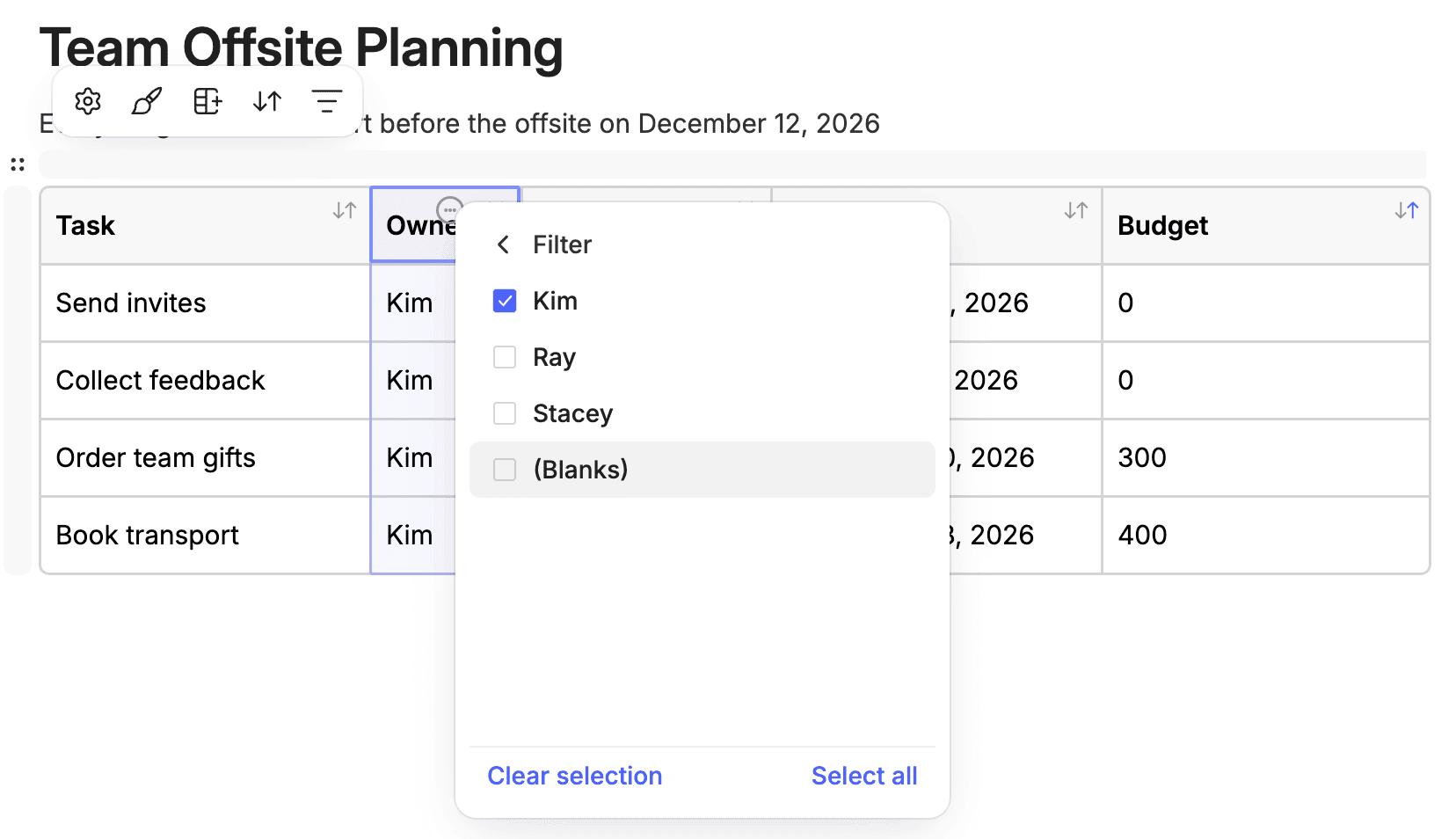
Picture a client roster with a Status column. Filter to Active, and past clients drop out of view while you work. At home, a maintenance log filtered by room shows you everything that's been done to the kitchen without scrolling past the garage.
Borders, Colors, and Column Widths
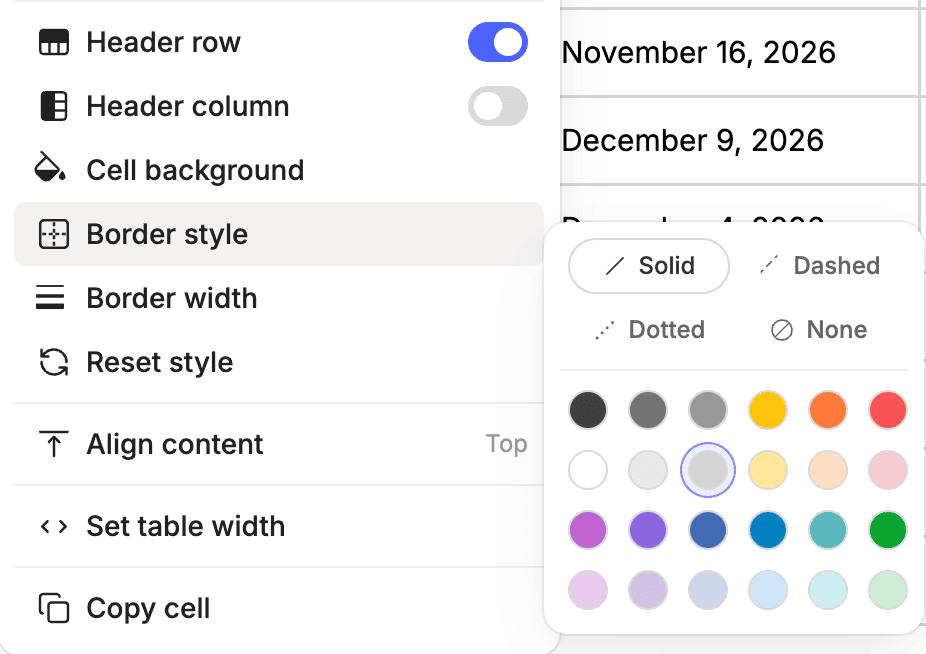
You can now customize the style, width, and color of a table's borders, and choose from an expanded set of cell or table background colors.
Distribute Columns Evenly squares up a table whose columns have drifted to odd widths after weeks of edits.
Academy Members: Watch the Feature Training: Tables replay, where I walk through everything tables can now do and how to decide whether a table or an outside spreadsheet is the better fit for a workflow.
In Evernote's own September recap, their product lead answered the question she knew was coming: basic calculations for tables are on the roadmap. This revamp is a big improvement on its own, and it appears to set the stage for more table innovation to come.
Give the new tables a try today.
Cheers to your productivity –
Stacey

Subscribe to auto-receive my next tip!
No fluff. Just practical, immediately actionable advice from someone who's been teaching Evernote mastery for over a decade. Sent every Monday, for free.