
Evernote quietly fixed a six-year-old bug
October 5 2026 | Issue 115 | Link to this issue | Subscribe
Hi Reader –
Evernote has quietly restored a behavior longtime users have been asking for since 2020: moving a note to another notebook or changing its tags no longer changes the note's Updated date. Only edits to the title or body do.
It's not in the release notes or the app's What's New page. But Evernote has confirmed to the Evernote Certified Experts that it's real – a fix to one of the longest-running complaints in the Evernote forum.
How Evernote Used to Work
For most of Evernote's life, the Updated date meant exactly what it said: the last time you changed what was in the note. Where the note lived and which tags it carried were organizational details, and adjusting them left the date alone.
That mattered because sorting by Updated is one of the most useful workflow views in Evernote. You can sort your note list by this column. And, when you do, your active work floats to the top. Dormant notes sink. You can glance at a project notebook and see what you touched last week versus last year. It's very useful.
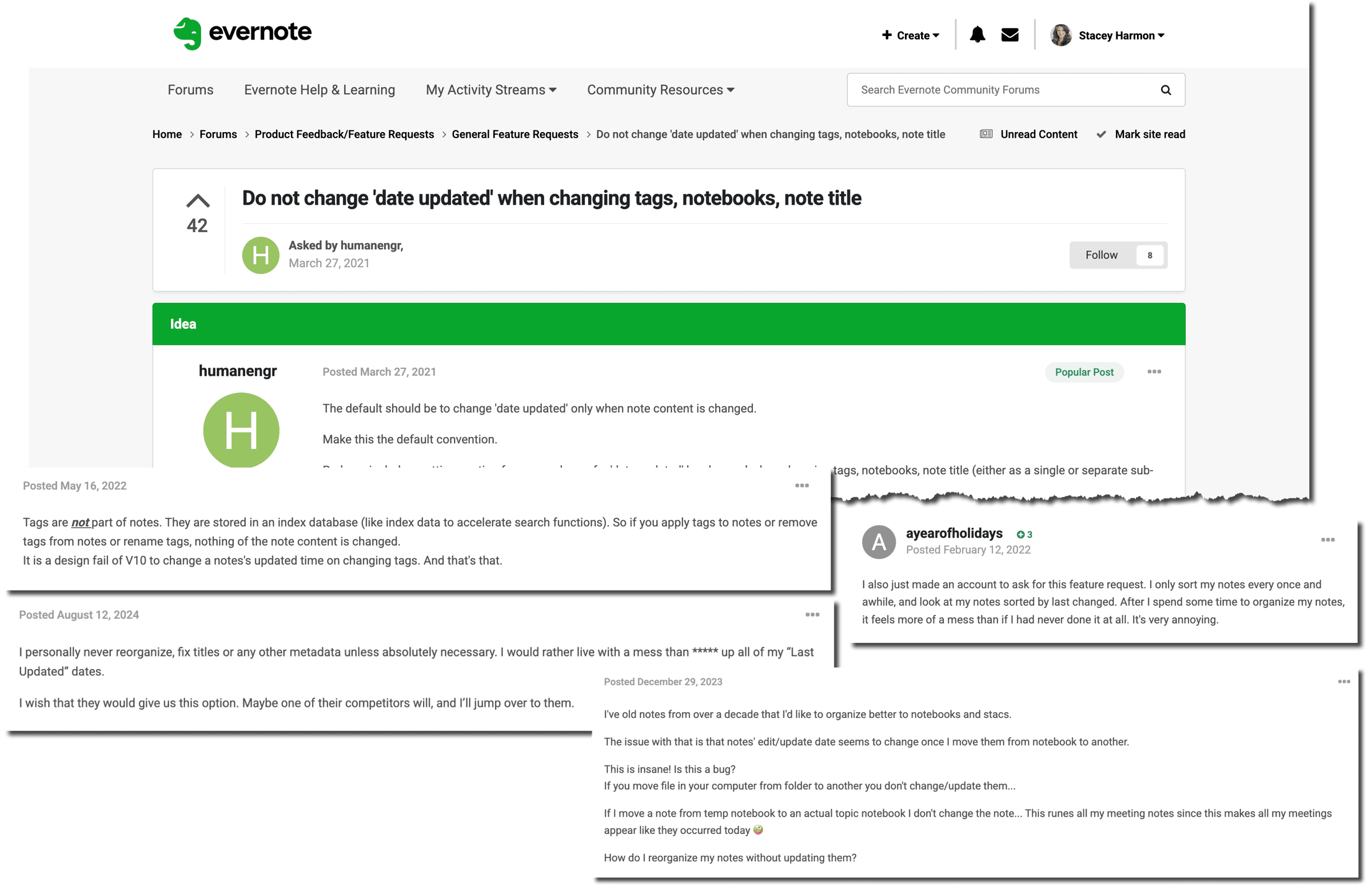
Then v10 arrived in late 2020, and the behavior changed. The first forum complaint I can find is dated November 27, 2020 – within weeks of the v10 desktop launch – and it describes the problem precisely: "When I just move a note between notebooks, it's not an update!"
For six years, users filled the Evernote forum with gripes about this change in behavior – the largest thread ran from 2021 to 2024 with 98 posts and never got a reply from Evernote. Some people stopped reorganizing their accounts altogether rather than scramble their Updated dates.
Who Fixed It
To be clear about the timeline: this bug appeared two years before Bending Spoons bought Evernote. They inherited the problem. It took a while to get to, but they've now restored the behavior Evernote was designed to have.
The current rule is simple:
✅ Move a note to a different notebook → Updated date stays put
✅ Add or remove tags → Updated date stays put
✅ Edit the title or body → Updated date changes
Works the same on desktop, web, and mobile.
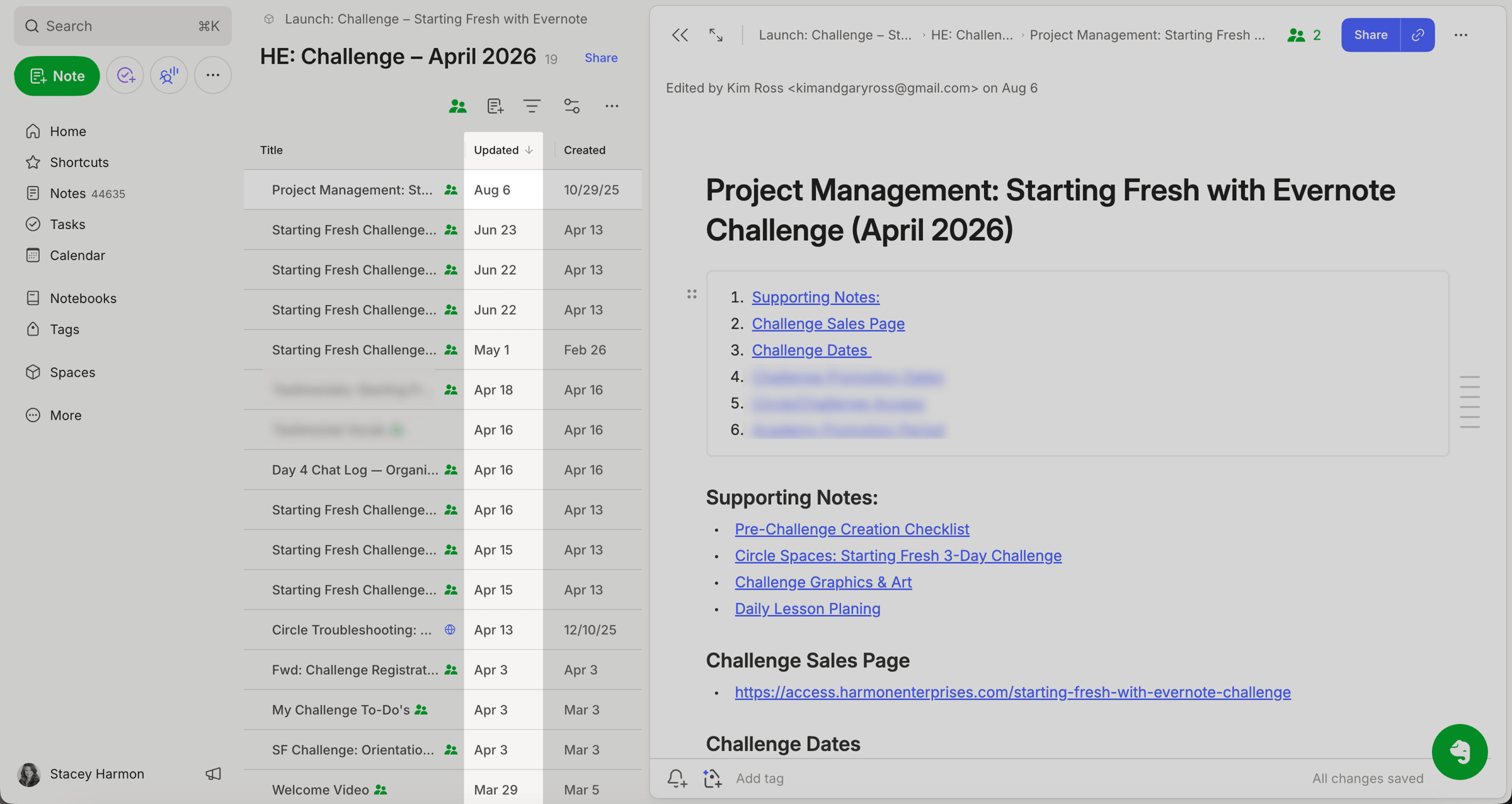
Sort your notes by date updated.
What This Means for Your Workflow
If you've been avoiding a reorganization because of this, you can stop avoiding it. Consolidate notebooks. Rework your tag structure. Move last year's inbox into an archive notebook. Your Updated dates will survive.
This one hit close to home for me. The ☀️ Starting Fresh with Evernote Challenge is built around reorganizing an account to a clean, fresh baseline. And every cohort I've had to warn Challengers that the cleanup would scramble their Updated dates. That warning is coming out of the curriculum. When I run the Challenge again in 2027, it won't be a problem Challengers have to work around.
🧠 Academy Members: Watch Unannounced feature updates: Two that matter in the App Updates space, where I cover this change plus a second quiet fix.
I'm thrilled with this update. If you are too, reply with a 🎉 and I'll let Evernote know how well received this update is!
Cheers to your productivity –
Stacey

Subscribe to auto-receive my next tip!
No fluff. Just practical, immediately actionable advice from someone who's been teaching Evernote mastery for over a decade. Sent every Monday, for free.