
How to use Evernote to never forget a to-do
July 27 2026 | Issue 105 | Link to this issue | Subscribe
Hi Reader –
You get an email you need to act on, but not this minute. A document to file, a form to send back, a bill to pay later in the week. You tell yourself you'll remember. Then the week fills up, and you don't.
I don't try to remember things like this, and I don't think you should either. This is the core idea behind David Allen's Getting Things Done® (GTD®), the productivity philosophy I build my whole system on. As Allen puts it, your mind is for having ideas, not holding them. Once I stopped keeping track of things in my head and started trusting Evernote to hold them for me, remembering stopped being my job.
So the question isn't how I remember to do something. It's how I set things up so I don't have to. Here's how that works, using a real example from my own account from earlier this year.
The situation
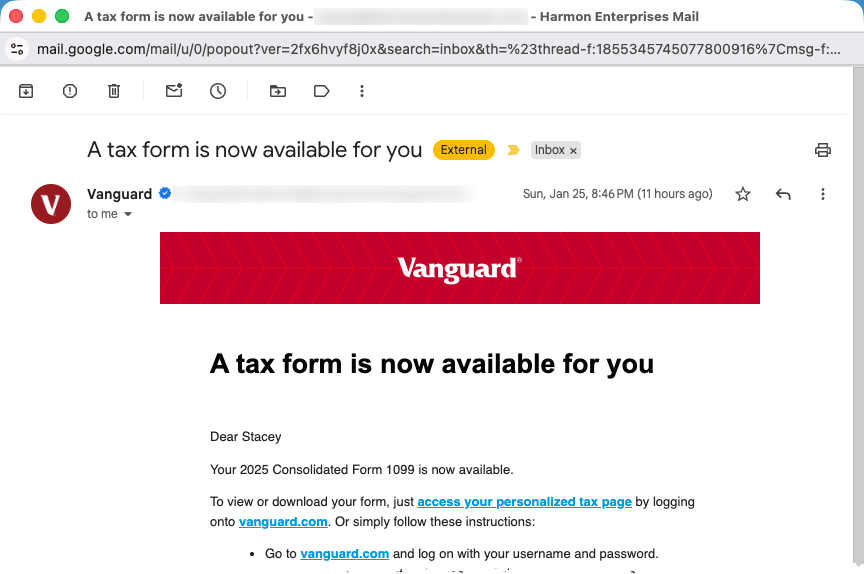
Every January, my tax documents start arriving by email, from banks, investment accounts, and vendors. (I'm in the US, but the habit works for any deadline you're tracking.) Each one is a piece of paper my CPA will eventually need for an open project of mine: File my 2025 taxes.
It's Monday morning. I'm starting my week, and I don't have time to deal with a tax form right now. I don't need to. I only need to make sure it doesn't disappear on me.
1️⃣ Step one: get it out of my head
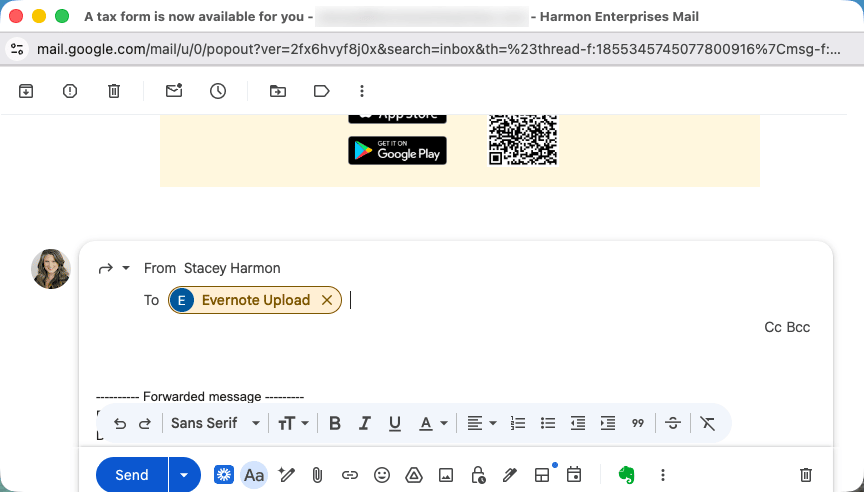
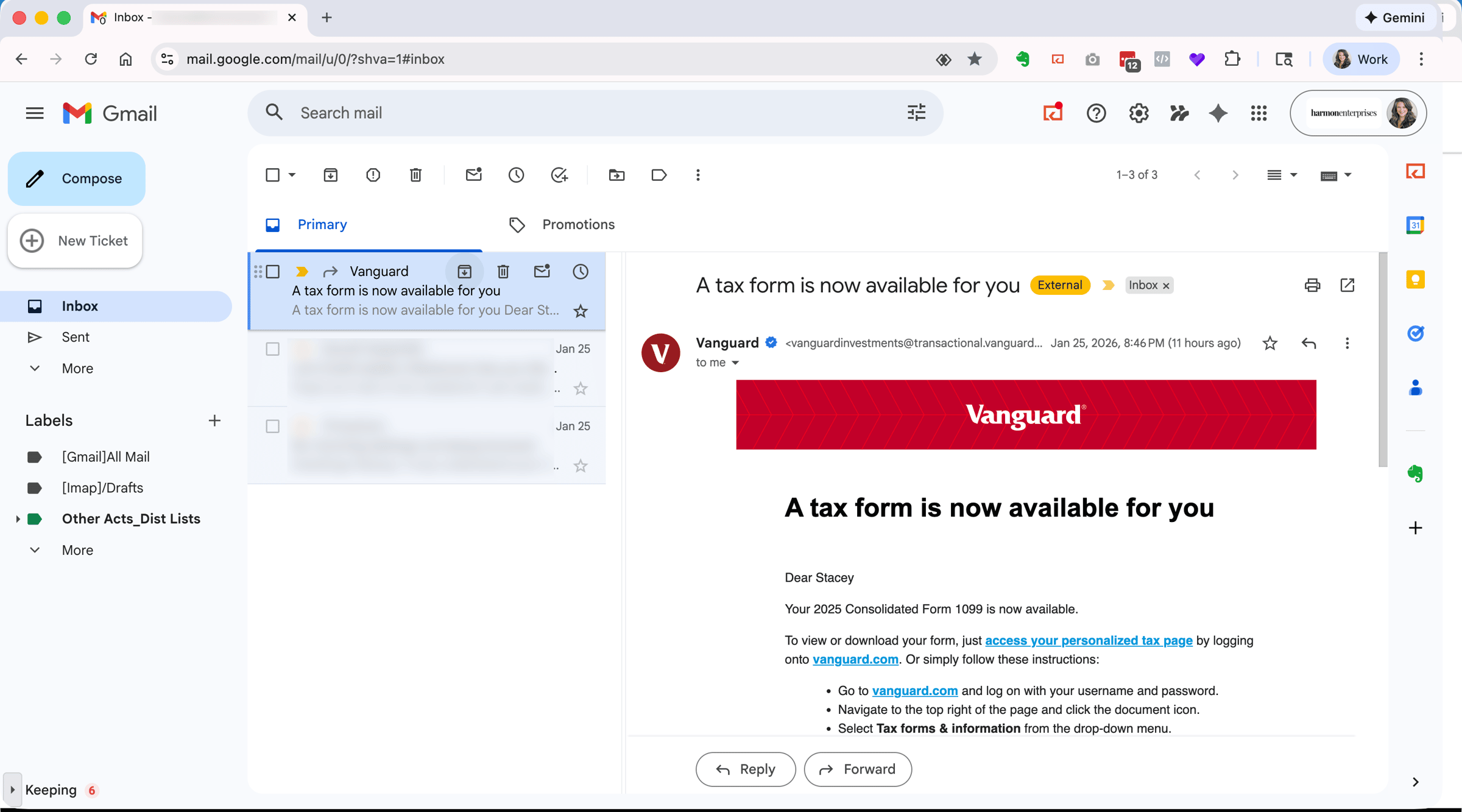
I forward the email to my Evernote email address, the unique address every Evernote account gets. The document lands in Evernote, and I archive the original in Gmail. That takes about a second, and my inbox is clear.
I archive rather than delete on purpose. Archiving clears my inbox the same as deleting would, but the email stays searchable in Gmail if I ever want the original. For a tax document, that's worth keeping.
2️⃣ Step two: decide what it is
Forwarding is only capture. The document is safe, but I haven't decided anything about it yet. I do that when I process, which for me happens daily, or every couple of days at the latest. If I let these sit for two weeks, the system stops working.
This is where David Allen's framework does its job. When I process, I find the forwarded note waiting in my default notebook and run it through his five steps of mastering workflow: Capture → Clarify → Organize → Reflect → Engage. Every note I capture goes through the same path.
Capture is done, so I clarify. In GTD® terms, that means running through this chart:
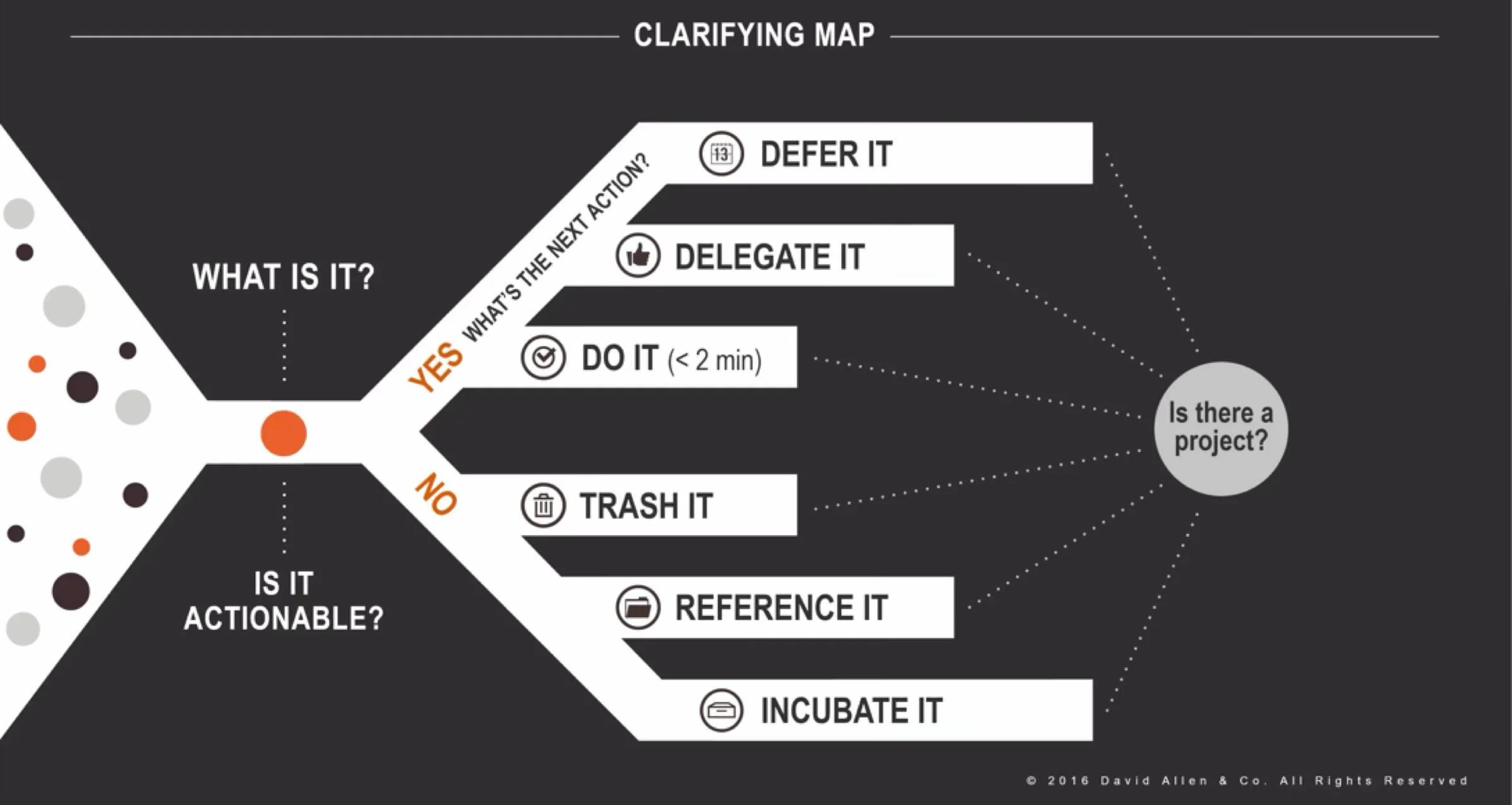
David Allen's Clarifying Map from GTD®
I ask myself: Is it actionable? Yes. What's the Next Action? Get the document from Vanguard and add it to my tax prep notebook. Can I do it right now? No, and I don't want to. It belongs to a Project I already have open, Tax Prep, and it can wait a few days. So I decide to defer it, which is one of Allen's valid outcomes for an actionable item you can't do now.
3️⃣ Step three: set the trigger
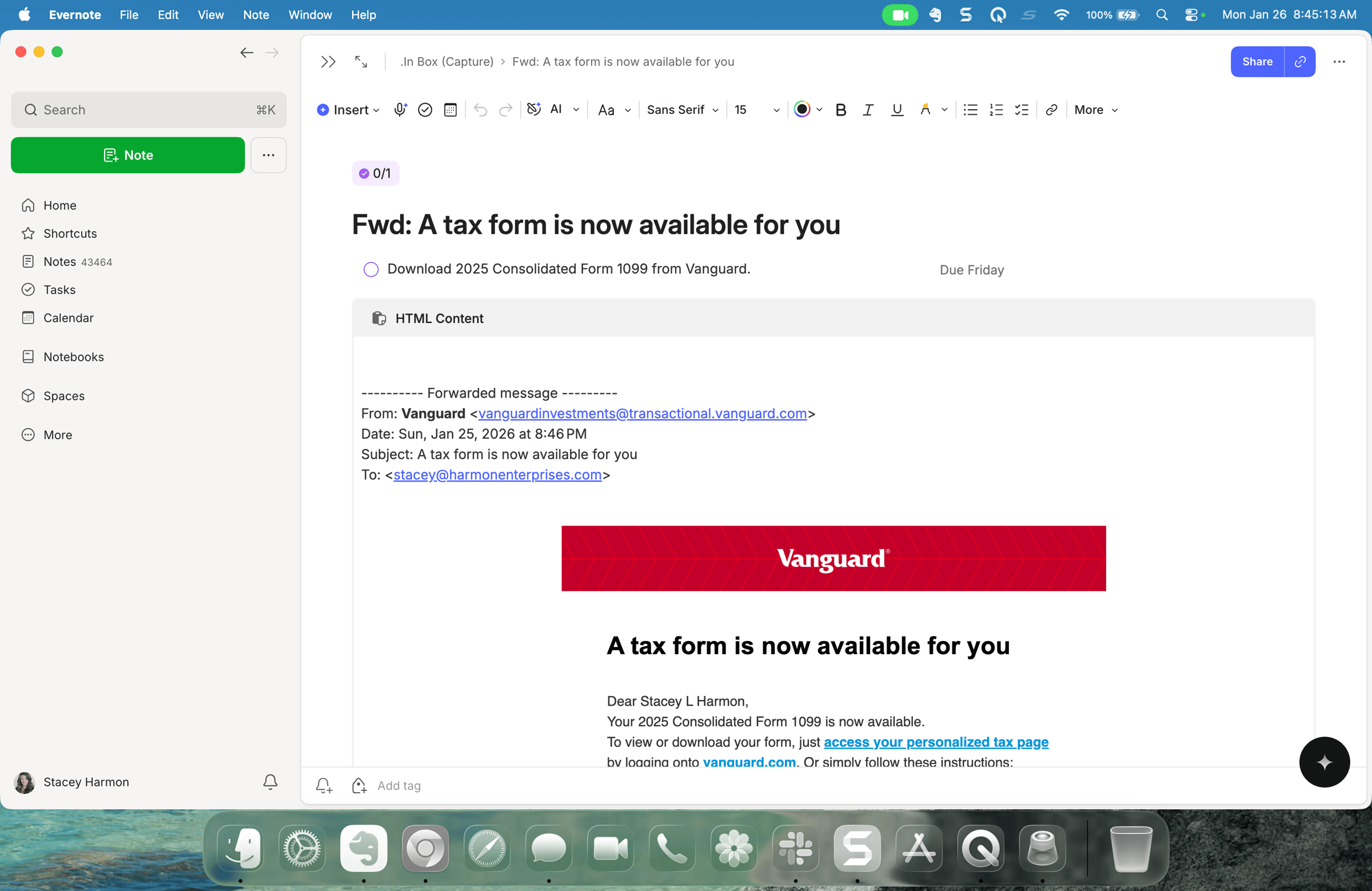
This is the part that means I don't forget. I add a dated task to the note. Evernote Tasks let me put a due date on that next action, on desktop, web, or mobile. I know I'll have time on Friday, so I date it Friday. If I get to it sooner, fine. The date is my backstop, my best guess at the latest it should happen.
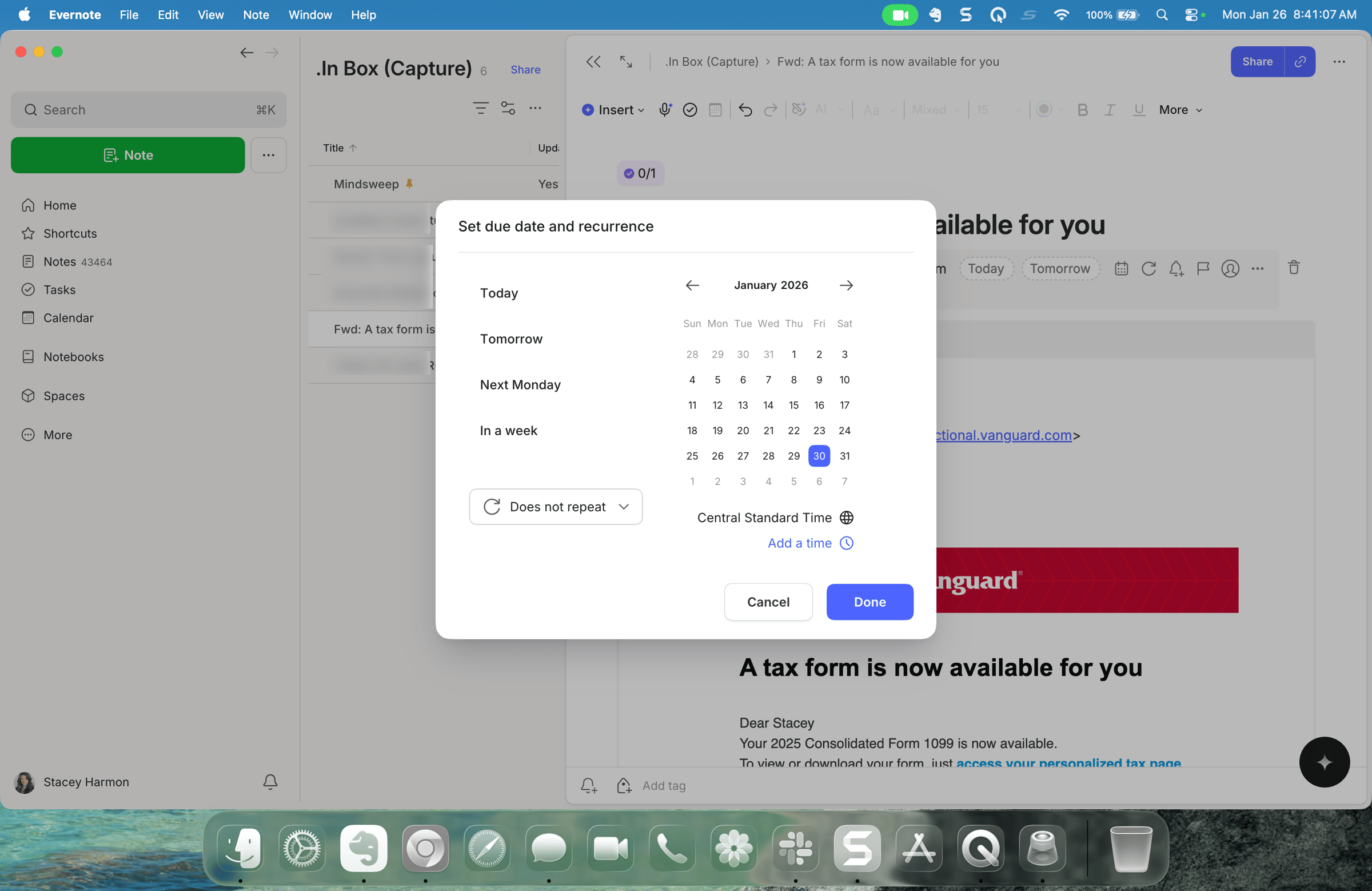
A date is enough because I review the tasks due each day, every day. So on Friday, this comes back to me on its own. I do it, reschedule it, or check it off because I already handled it. I'm not counting on memory to resurface it. My daily review of open tasks does that job.
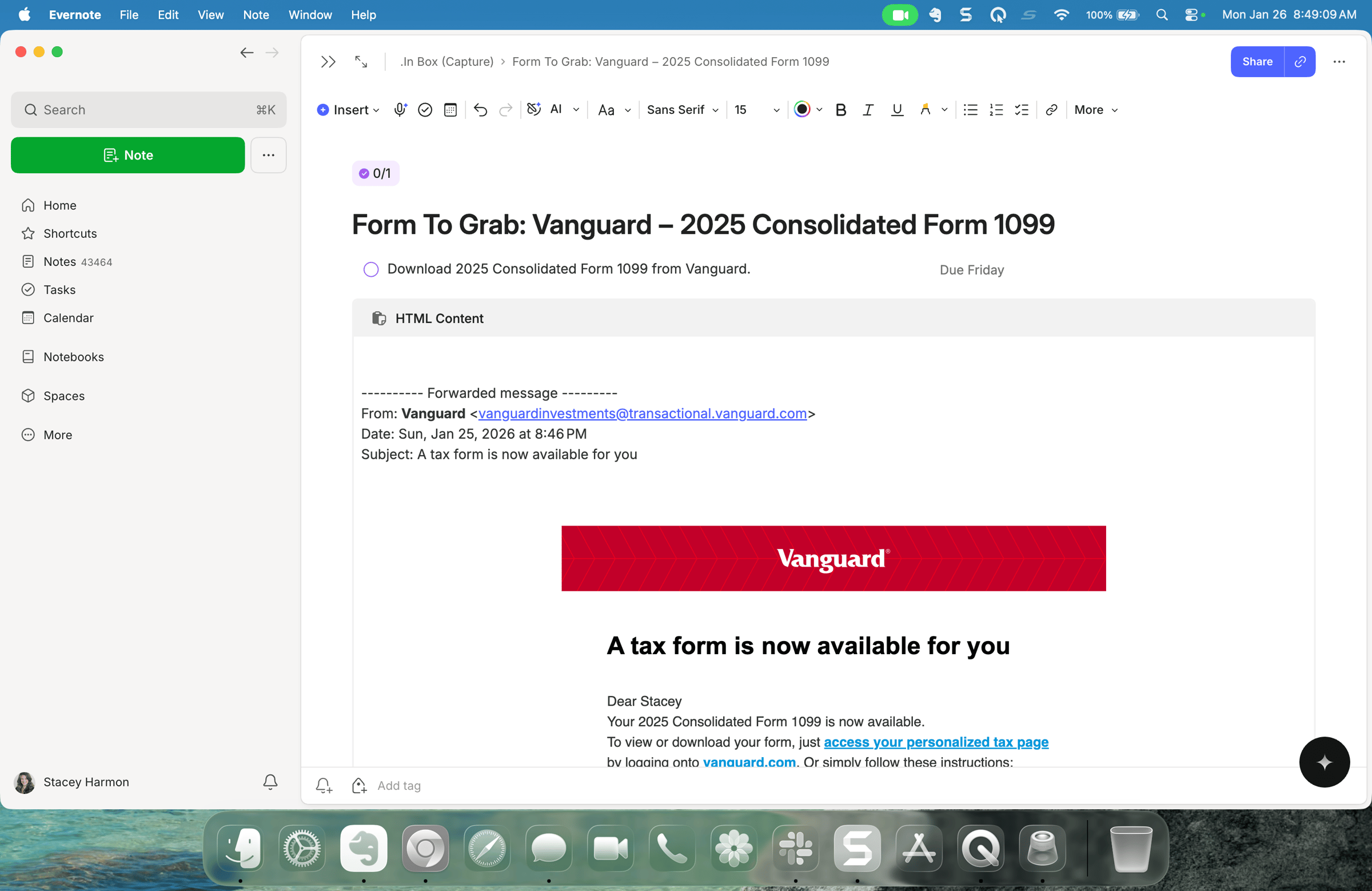
4️⃣ Step four: Title & File
Last, I Title & File. Sometimes I put the next action right in the note title. Sometimes I leave the default title in place on purpose, so an untitled note becomes my visual cue that there's still something to do.
Then I file it into my 2025 Tax Prep notebook. On desktop I use a keyboard shortcut to open the move window, and because I named the notebook deliberately, I can filter to it in a couple of keystrokes.
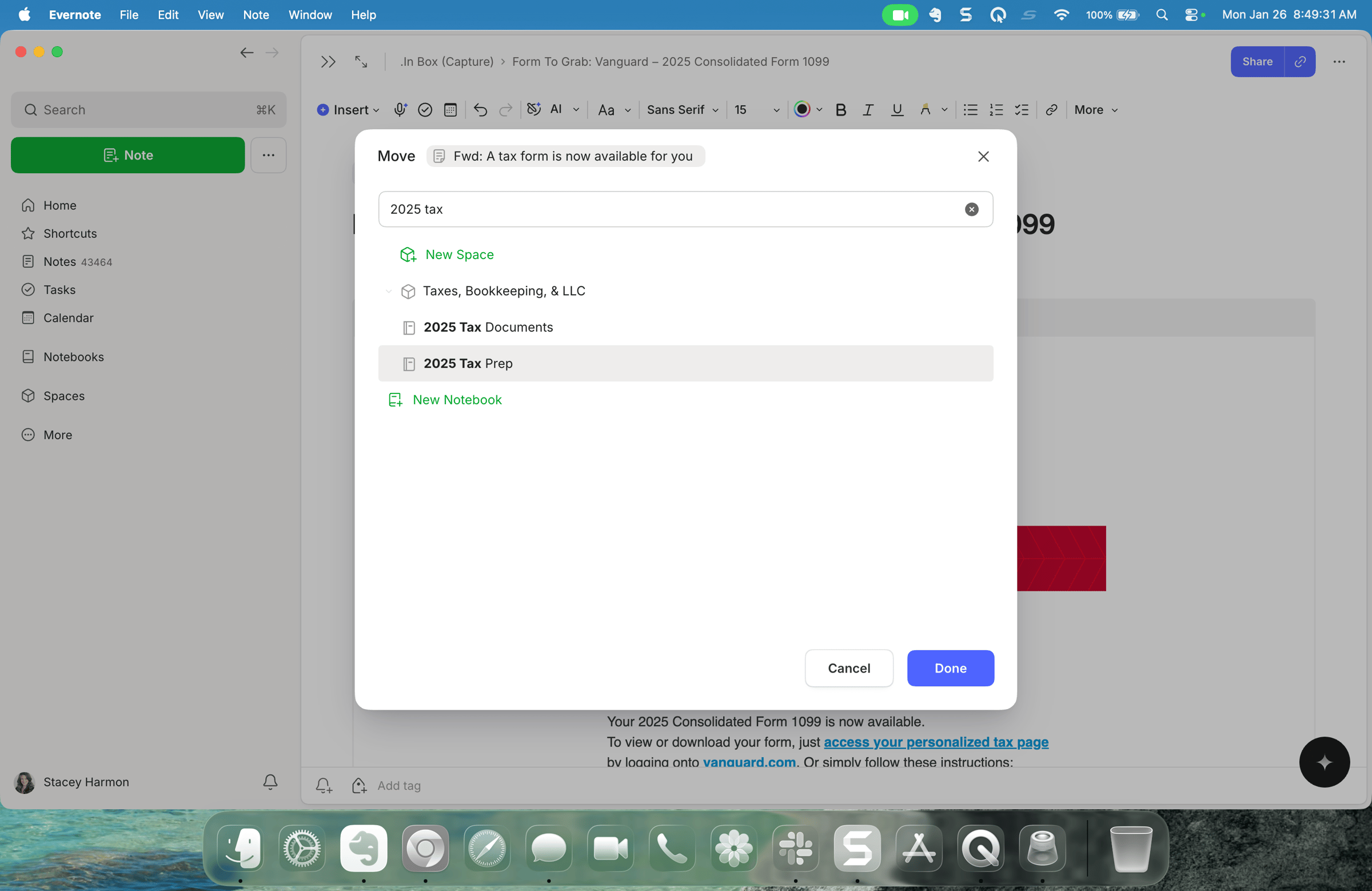
That's the whole habit, and it's GTD® in practice: capture it, clarify it, organize it, and trust the system to resurface it. I never carried the tax document in my head. David Allen's method carried it for me, and Evernote is where I run that method.
What to try this week
Pick one thing in your inbox you keep meaning to deal with. Forward it into Evernote, add a dated task for the day you'll actually handle it, and file it. Then let it go. If you review your due tasks that day, it comes back to you.
Cheers to your productivity –
Stacey
PS: Today's habit is one small piece of a much bigger conversation. In the Academy, workflows are the whole point – how you actually use Evernote's features to organize your life and your work, not just how the buttons work. Members get access to my GTD Book Club, my full library of workflow and Evernote trainings, and a community figuring this out together. If that's the kind of company you want to keep, join us in the Academy.

Subscribe to auto-receive my next tip!
No fluff. Just practical, immediately actionable advice from someone who's been teaching Evernote mastery for over a decade. Sent every Monday, for free.