
The new meeting feature I didn't expect to love
July 13 2026 | Issue 104 | Link to this issue | Subscribe
Hi Reader –
Evernote quietly rolled out something in v11.21.5 that I didn't think I would use much.
Turns out, I'm using it a lot!
Evernote did a full redesign of the meeting recording experience in this release — and a new option, live transcription, came with it.
It appeared in the release notes as: "You can now view a live transcription in a floating, draggable panel while recording."
I read it, filed it mentally as "fine, probably useful for some people," and moved on. Then I tried it on a call with the Evernote team.
Now I use it every time I record a meeting.
Live transcription is closed captions for your meetings inside Evernote.
You know how you sometimes flip on closed captions when watching something on TV? Not because you need them — just because they help you track the dialogue, especially when a speaker talks fast, quietly, has a thick accent, or the audio gets muddy? That's exactly what this does, live, while you record your online, or in person, meeting using Evernote's Meeting Recorder feature.
Real Use Cases
My Evernote Certified Expert product update calls are with the Evernote team, most of whom are based in Milan — English is a second language for many of them. These are fast-moving, information-dense conversations, and I'd occasionally miss a word or phrase in the flow, especially with the accents. Now I glance at the live captions and catch everything.
If you're in meetings with non-native English speakers, strong regional accents, fast-paced talkers, or just inconsistent audio quality — you're going to appreciate this. It's also a genuinely useful accessibility feature for anyone who is hard of hearing or finds it easier to read along than rely on audio alone.
How to Use Live Transcription
Live transcription is a panel you open from inside an active Meeting Recording session — it's not a separate feature you start on its own. Meeting Recording itself is available on desktop, web, and mobile, but the live transcription panel is desktop and web only (v11.21.5+).
Start a Meeting Recording in Evernote on desktop or web and you'll see the recording bar appear at the bottom of your note.
(1) Click the keyboard icon on the left side of that bar and the live transcription panel opens.
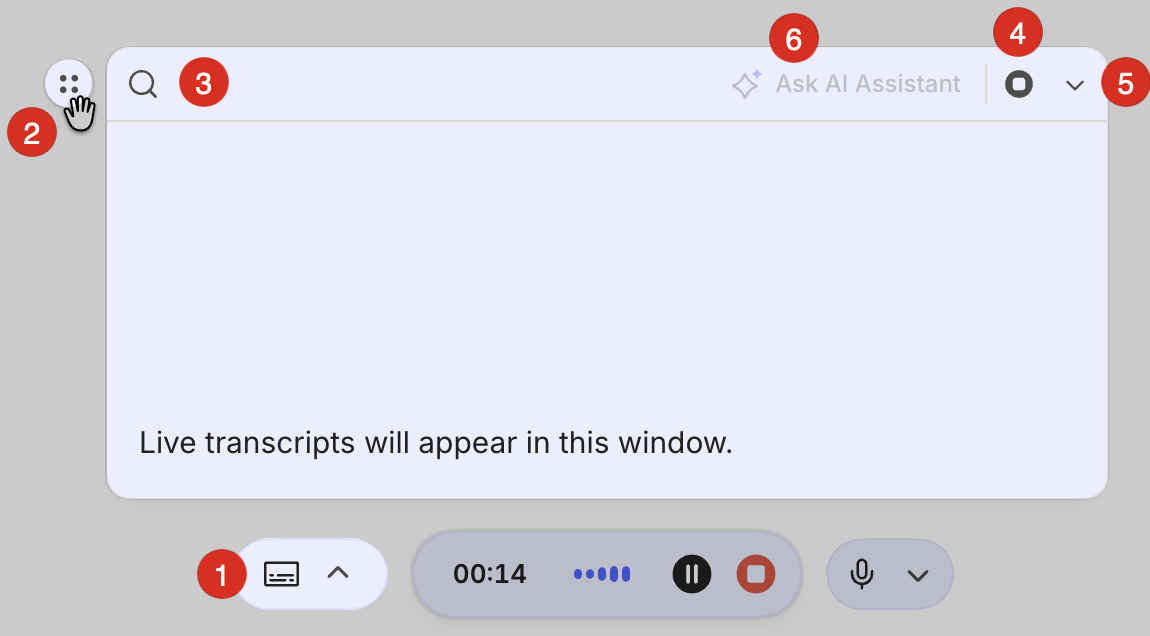
From there:
(2) Drag it anywhere on screen. The panel floats, so you can position it wherever you can glance at it without covering what you're working on.
(3) Search the live captions. If a name or number came through fast, search the transcript while the conversation is still in progress.
(4) Pause or resume. Want a moment to just listen? Pause and pick it back up.
(5) Collapse it back. Click the same keyboard icon to tuck the panel back into the recording bar at the bottom of the note — it stays out of the way until you need it again.
(6) Hand it off to the AI Assistant. If you're using v11.22.4+ you can open the AI Assistant from within the live transcription panel mid-meeting to ask questions or get a recap of the conversation so far, without stopping the recording.
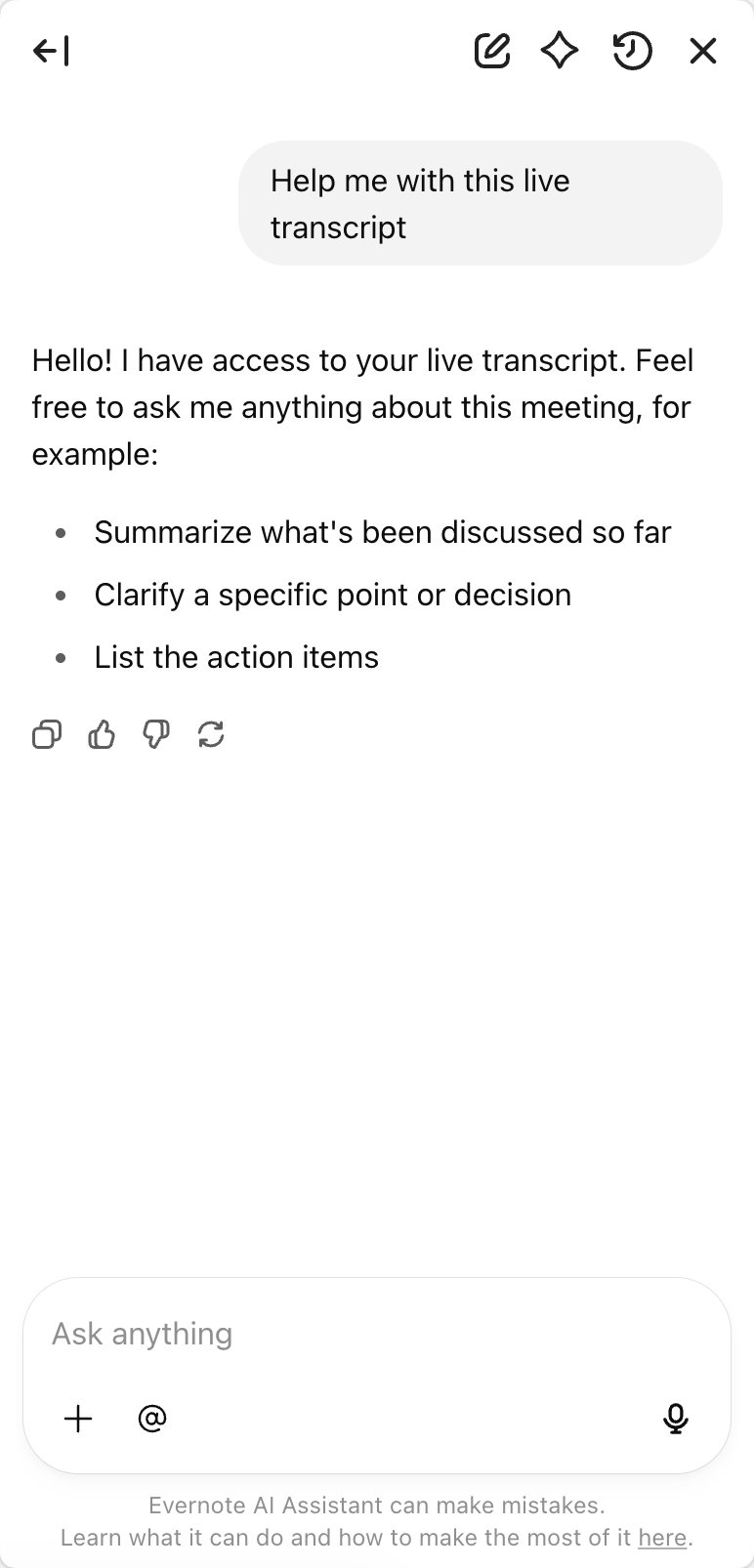
When the Meeting Ends
When you stop the recording, the live captions disappear. That's by design. They're a real-time aid, not the permanent record.What comes next is the process you're probably already used to: Evernote auto-transcribes the full recording and generates the AI summary in your note. The live panel and the post-meeting transcription are two separate features. The captions are there while you need them; the transcript is there when the meeting's over.
🧠 Academy Members: Review this feature and the full AI Meeting Notes functionality in the Feature Training: AI Meeting Notes tutorial.
Give it a try on your next call. It's my new favorite feature I didn't know I needed.
Make sure you're on the latest version. Update at evernote.com/download.
Cheers to your productivity –
Stacey

Subscribe to auto-receive my next tip!
No fluff. Just practical, immediately actionable advice from someone who's been teaching Evernote mastery for over a decade. Sent every Monday, for free.